
Enabling ‘Save to Foldr’ on iOS
Save to Foldr is an iOS share-sheet extension that lets users send a file into Foldr from any app that supports the iOS share sheet (Safari, Mail, Photos, third-party apps, etc.). Once you turn it on once per device, the option appears in the share sheet everywhere.
It’s the more flexible counterpart to Import with Foldr. The two are compared in Import with Foldr vs Save to Foldr.
Turning on Save to Foldr
The quickest way is via Safari. The same flow works from any app’s share sheet.
-
Open any web page or file in Safari.
-
Tap the Share button (the box-with-arrow icon at the bottom of the screen).
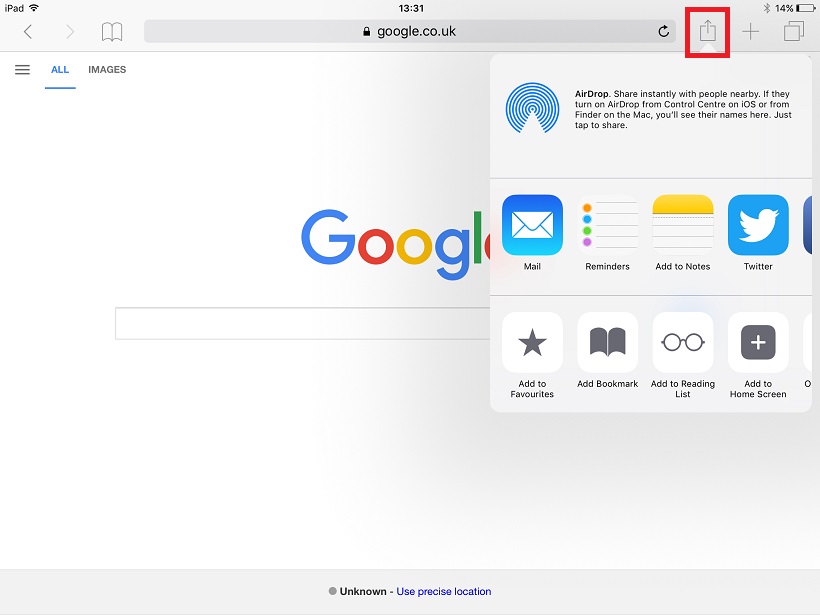
-
Scroll the row of action icons all the way to the right and tap More.
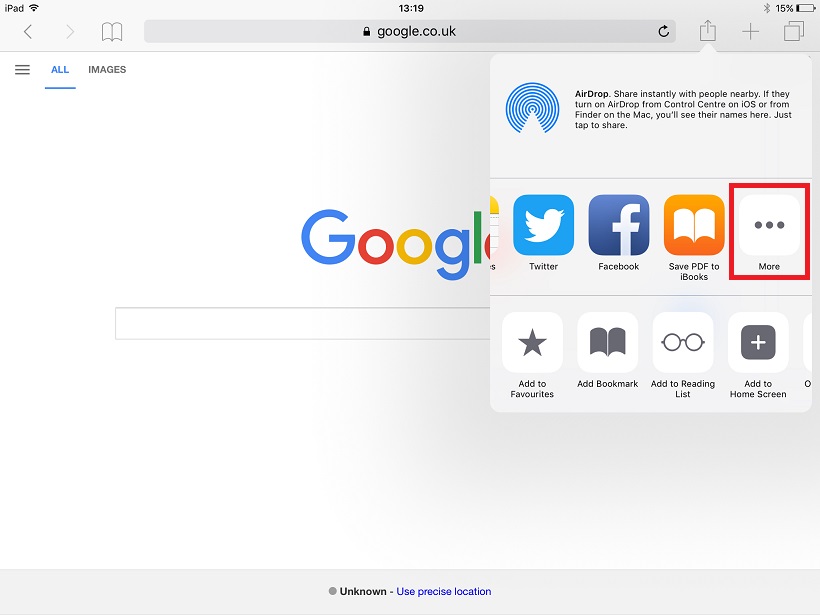
-
Find Save to Foldr in the list and toggle it on. Tap Done.
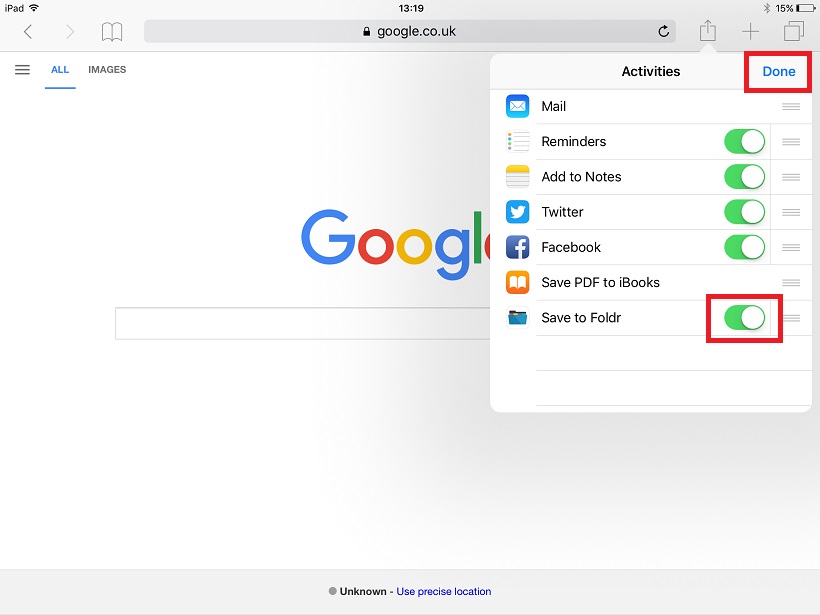
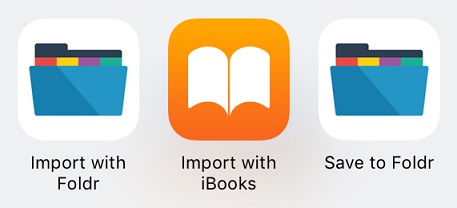
The option now appears in the share sheet across all apps that support sharing files.
Using it
In any app, tap Share, then tap Save to Foldr. Pick the destination folder in Foldr, optionally rename the file, and tap Save. The Foldr iOS app uploads the file in the background; you can carry on with what you were doing.
Modern iOS
On iOS 11 and later, the Files app provides a similar route through Foldr’s File Provider integration. Most users land on Files first because it’s discoverable from the share sheet without enabling anything per-app. Save to Foldr remains the more direct path when you want to push a file into Foldr without going through the Files browser.
Related articles
- Import with Foldr vs Save to Foldr: when to use which.
- Foldr for iOS: file basics: the wider iOS app overview.