
Geo-location blocking: restricting Foldr access by country
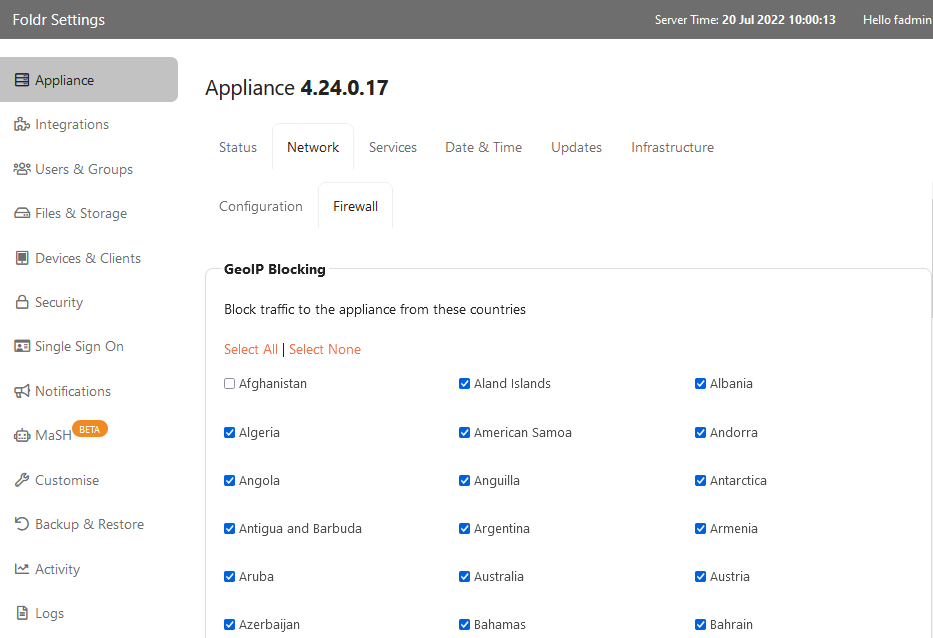
Foldr’s built-in firewall includes a geo-location module that blocks or permits inbound connections by country. Useful for reducing the attack surface on internet-exposed deployments and as a compliance control where data-protection rules require it.
Where to configure
Foldr Settings, then Appliance → Network → Firewall.
Two approaches
- Block specific countries. Tick each country you want to block. Suitable when you know which threats you’re worried about (a known badwatch list).
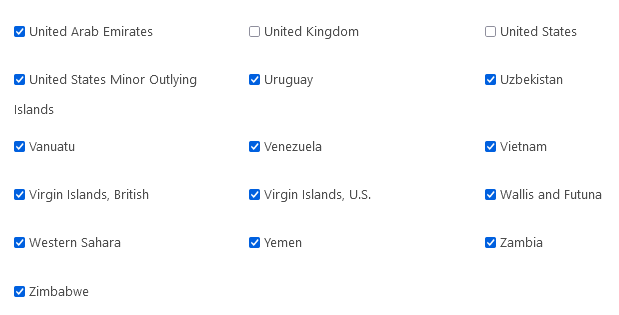
- Allow-list (recommended). Click Select All, then untick the countries you want to permit. Suitable when you only do business in a handful of countries; the resulting policy is “everywhere except the UK and Ireland is blocked”, which is much more defensive.
Click SAVE CHANGES to apply.
Important caveats
Let’s Encrypt certificates
If you’re using Let’s Encrypt for your TLS certificate, you must permit inbound access on TCP port 80 from the United States, Sweden, and Singapore. Let’s Encrypt’s domain-validation infrastructure issues challenge requests from all three regions, and renewals run every 60 days. Blocking any one of them will silently break renewals, and you’ll find out when the certificate expires. See Let’s Encrypt SSL certificates for the renewal flow.
Mobile and roaming users
Geo-blocking applies to the source IP of the connection, not the user’s home country. Staff on holiday, business trips, or VPNs that exit in a different country will be blocked even if they’re a normal user. Either accept this as policy, or have a VPN available for travelling staff that exits inside your allow-list.
Cloud storage and Microsoft 365
If your Foldr connects to Microsoft Graph, OneDrive, or SharePoint Online, those endpoints resolve to Microsoft’s global CDN. The connections originate from the Foldr appliance outbound, so they’re not affected by inbound geo-blocking. But if your appliance is connecting to specific country-region instances (for data residency), keep in mind which countries you’ve blocked the appliance from reaching at network layer separately.
Resetting if you’ve blocked yourself out
If you accidentally lock yourself out, sign into the appliance console (via the hypervisor) and run:
flush-geoipThis removes all country blocks and lets you back in via the web UI to reconfigure properly. See The appliance console: command list for related console commands.