
Windows app keeps prompting to restart
Why a restart is needed
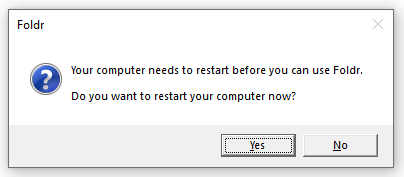
The Foldr for Windows app installs a kernel-mode file system driver that mounts the Foldr drive. Both first installs and upgrades require a reboot before the driver becomes active, and so do uninstalls (the driver can’t be unloaded while the app is running). If the user tries to launch Foldr before that reboot, the app shows this prompt and refuses to start.
How the prompt clears
When Windows restarts, a background process deletes a marker file called foldr.reboot in %CommonProgramFiles% (typically C:\Program Files\Common Files). With that file gone, the app launches normally on the next start.
When the prompt won’t go away
In rare cases the marker file isn’t deleted on reboot. Either the cleanup process didn’t run, or file-system permissions blocked the deletion. If you’ve definitely restarted and the prompt is still showing:
-
Open File Explorer to
C:\Program Files\Common Files. -
Delete
foldr.reboot.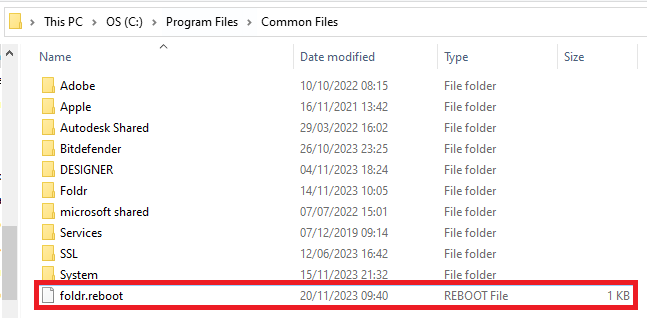
-
Launch Foldr.
If foldr.reboot keeps reappearing on every reboot, the install is in a confused state. Generate a Windows support bundle and send it to support so we can identify what’s blocking the cleanup.