
Foldr v9 ‘Failed to check for updates’: migrating to v10
If your Foldr v9 server (or any earlier v4 to v8 build) shows Failed to check for updates in Foldr Settings → Appliance, this article explains why and what to do next.
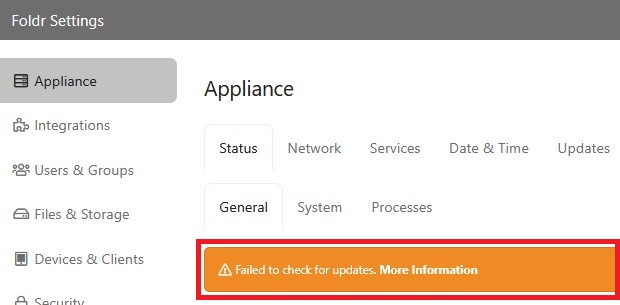
The Updates tab will typically show:
Error downloading manifest. Please contact your vendor. The requested URL returned error: 404 Not Found URL.
Why the error appears
The Foldr v9 update repository was taken offline on 15 February 2025. No new updates had been pushed for v9 since July 2024, and v9 is now end-of-life. Foldr v4 to v9 ran on a Linux distribution that itself reached end-of-life in early 2025; without distribution-level security updates, we can’t continue to ship v9 patches safely.
The error is expected on every v9 server from 15 February 2025 onwards. Nothing on your appliance is broken.
Migrating to v10
All Foldr product and security updates ship for v10 and later. To migrate, contact [email protected] for the relevant download links and licence transfer details.
The migration is configuration-import based. Generate a config backup on your v9 appliance using Backup & Restore, stand up a fresh v10 appliance, and import the backup. Most settings carry across cleanly: shares, users, groups, custom fields, branding, scheduled jobs, MaSH automations.
Search index does not migrate
Foldr v9 search index data is not compatible with v10. After importing your config, you’ll need to re-crawl every share before users can search again.
To minimise the user-visible gap, kick off the re-crawl immediately after importing the config. The web UI works during a re-crawl; only search results lag until the crawl finishes.
Related articles
- Appliance backup and restore: the config backup format used for migration.
- Foldr v10: Configuring the network: network configuration on a fresh v10 appliance.
- Foldr Server (Alma): v10 release notes.